
Viewer Management
The viewer table in Pixelview Admin shows who is watching and on what, so you can help viewers and control access during a review. Keep it open during important reviews, and confirm any unfamiliar viewer before continuing with sensitive content.
What the viewer table shows
The Viewers panel on the Sessions page lists each viewer's name, online or offline status, estimated city, IP address and browser or device, plus video-call and private invite state where relevant.
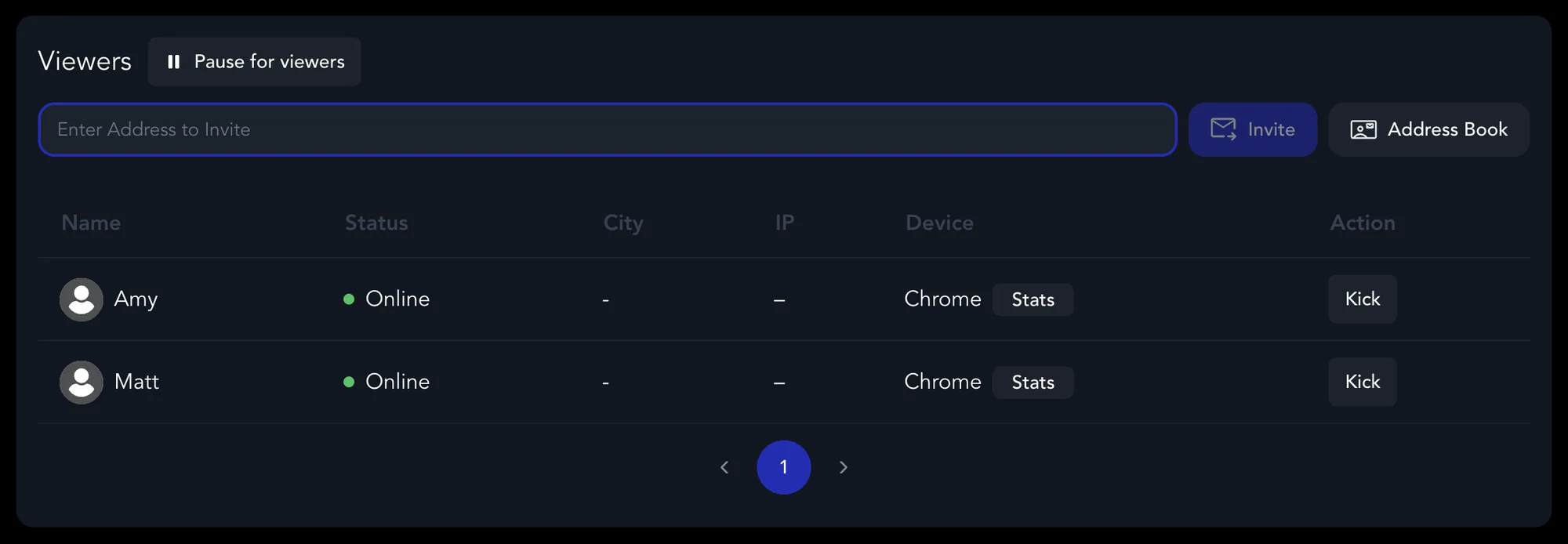
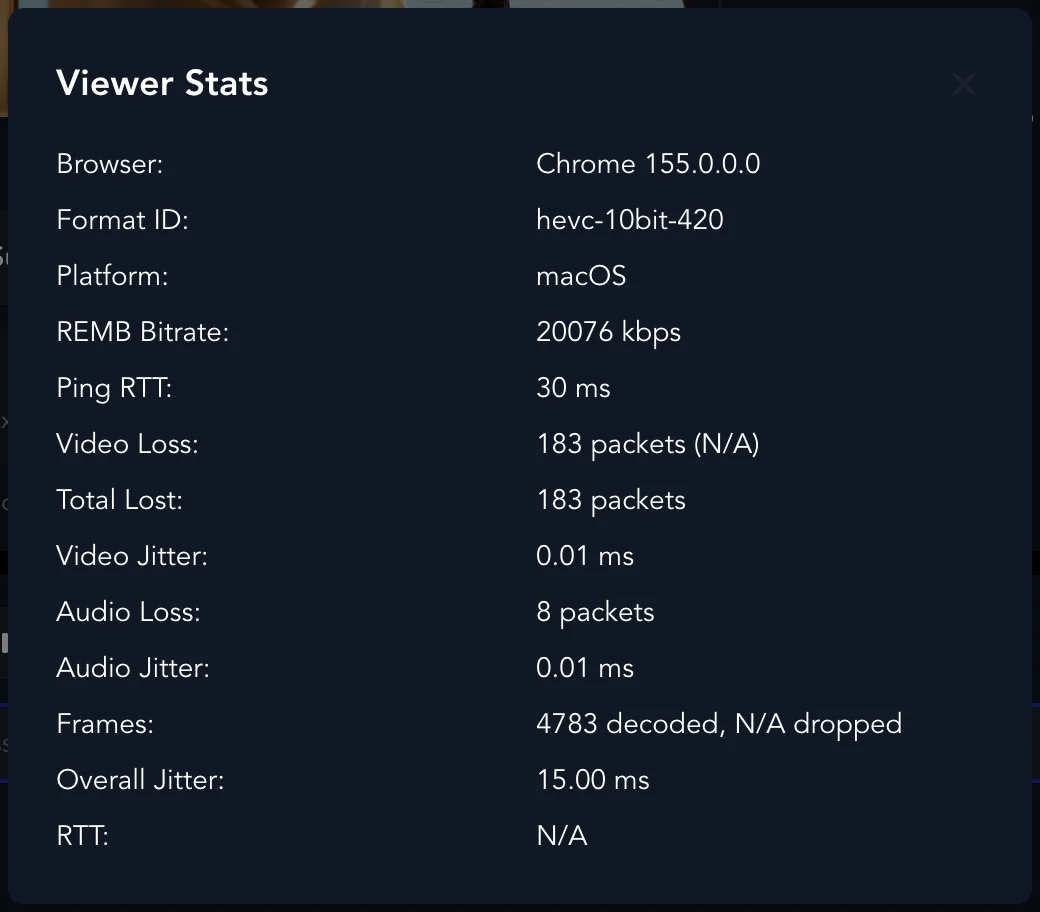
Point at a viewer's row and click Stats to see their connection. The stats help when a viewer reports buffering, poor quality, or disconnects: browser and platform, available bitrate, ping (RTT), packet loss, jitter, decoded and dropped frames, audio loss, and connection timing. Use them for support and access control, and still confirm details with the viewer directly.
Kick a viewer
Click Kick to make an online viewer leave immediately: the wrong person joined, a duplicate session, access should end, or the viewer is stuck.
Revoke access
Click Revoke when an invited or offline viewer should no longer have access: an invite went to the wrong address, the viewer no longer belongs in the review, or you are tightening access after a session. When the review is over, expire or delete the project.
Video-call moderation
Admins can mute or unmute viewers in a call where supported. For larger reviews, set camera and microphone off by default, use manual join or the device-selection prompt, and have one host manage participants.
Troubleshooting viewers
If a viewer has trouble joining:
- Check they are using the correct link or Session ID.
- Check their password or invite is still valid.
- Ask them to try Chrome, Edge, or the Pixelview Player app.
- Check whether the session is full.
- If they can join but playback is poor, check their stats.
- If their state looks stale, kick or revoke them and resend access.