
Billing and Plans
Pixelview plans are priced mainly by how many viewers can watch at once and which features are included. Plan details change, so the in-app checkout or Pixelview support is the source of truth.
Concurrent viewers
The viewer limit is how many people can watch a session at the same time, for example 5 for small reviews, 10 for larger client sessions, or 20 for agency, brand or production reviews. When a session is full, extra viewers are blocked until a slot opens or the plan is upgraded. Choose a limit that fits your largest expected review.
Features that depend on the plan
Watermarking, 3D LUT support, the viewer limit and some advanced Admin controls depend on your plan. Check that watermarking or LUTs are available before promising them for a client session.
Billing periods
Pixelview may offer monthly, quarterly or yearly billing. Longer terms can include a discount when available.
Hardware
Hardware encoders are optional and bought or bundled separately from the subscription. The usual setup is a preconfigured Magewell encoder with SDI input, a network connection and Pixelview stream settings, which works well for SDR. For HDR, use Pixelview Desktop with a Blackmagic capture device. Test any hardware setup before the first client review.
Manage billing
Open an encoder in Admin and click Subscription in the top bar to see the trial end date, choose a billing period and viewer count, and click Start subscription.
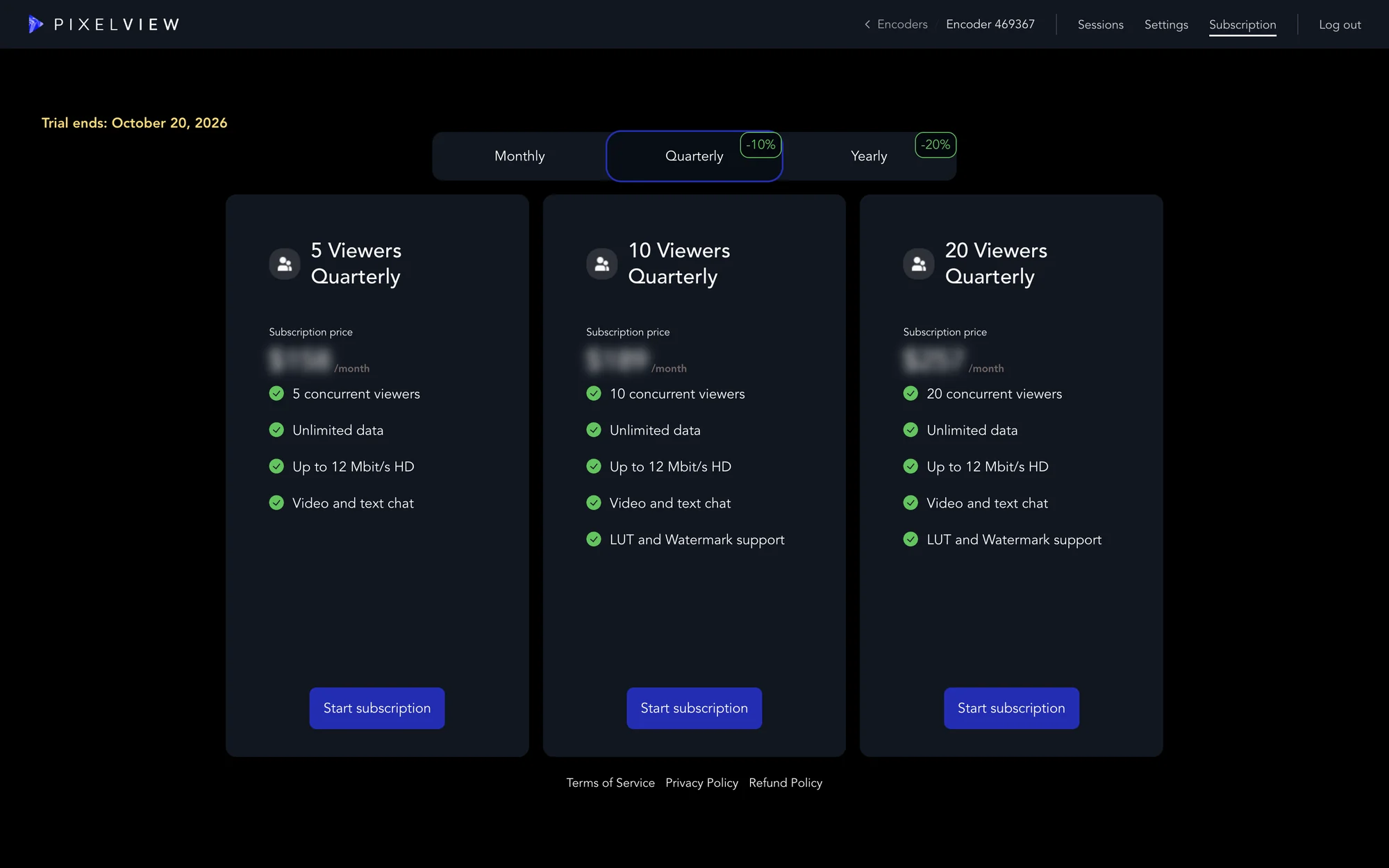
Use Pixelview Admin or contact Pixelview support for plan changes, billing details, subscription status, viewer capacity, hardware orders, and invoice or checkout questions.